Your desktop. Your agents. Your data.
Workle runs on a computer you control. Claude runs AI agents that do real work — Workle gives them tasks, memory, and channels to communicate.
Install the desktop app
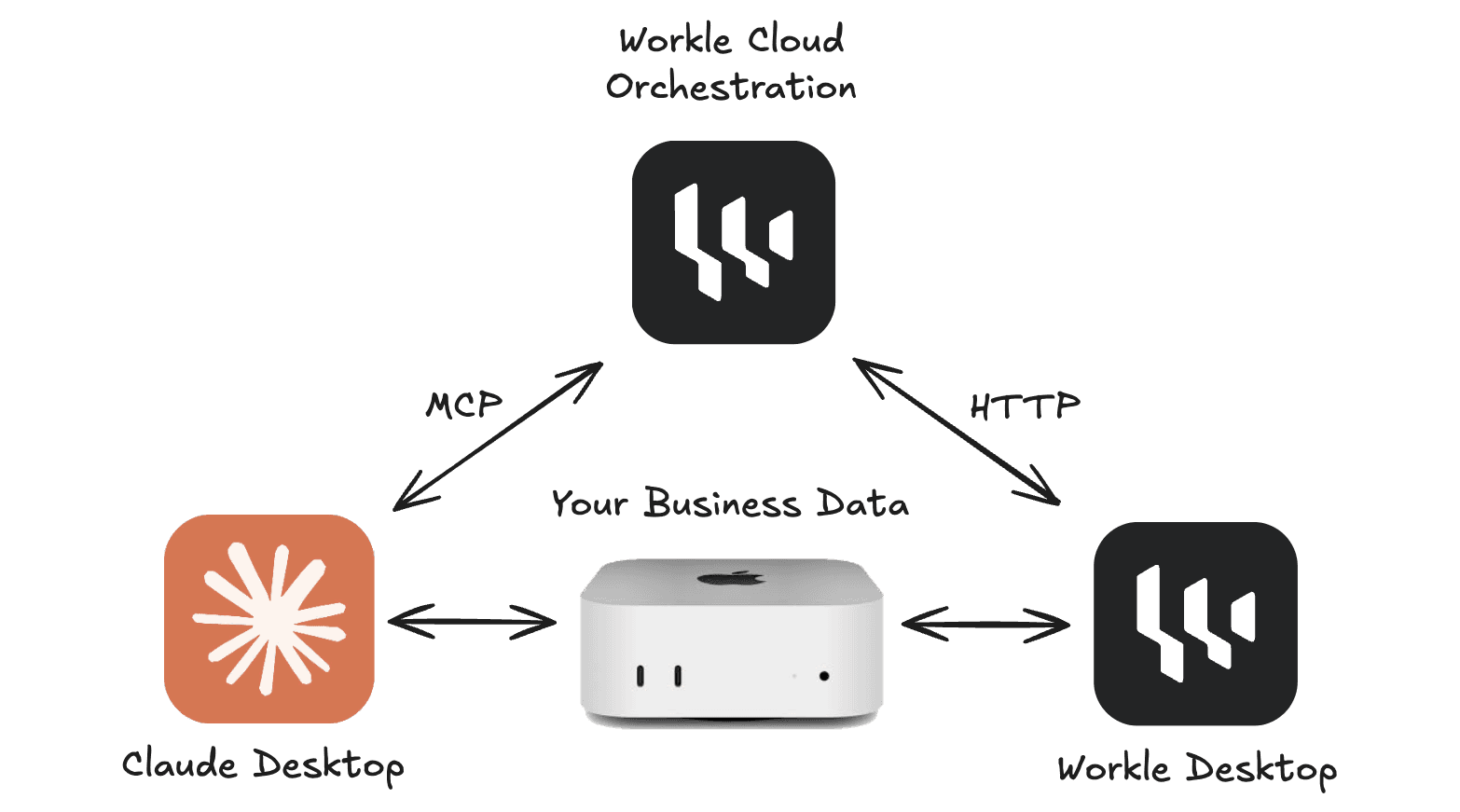
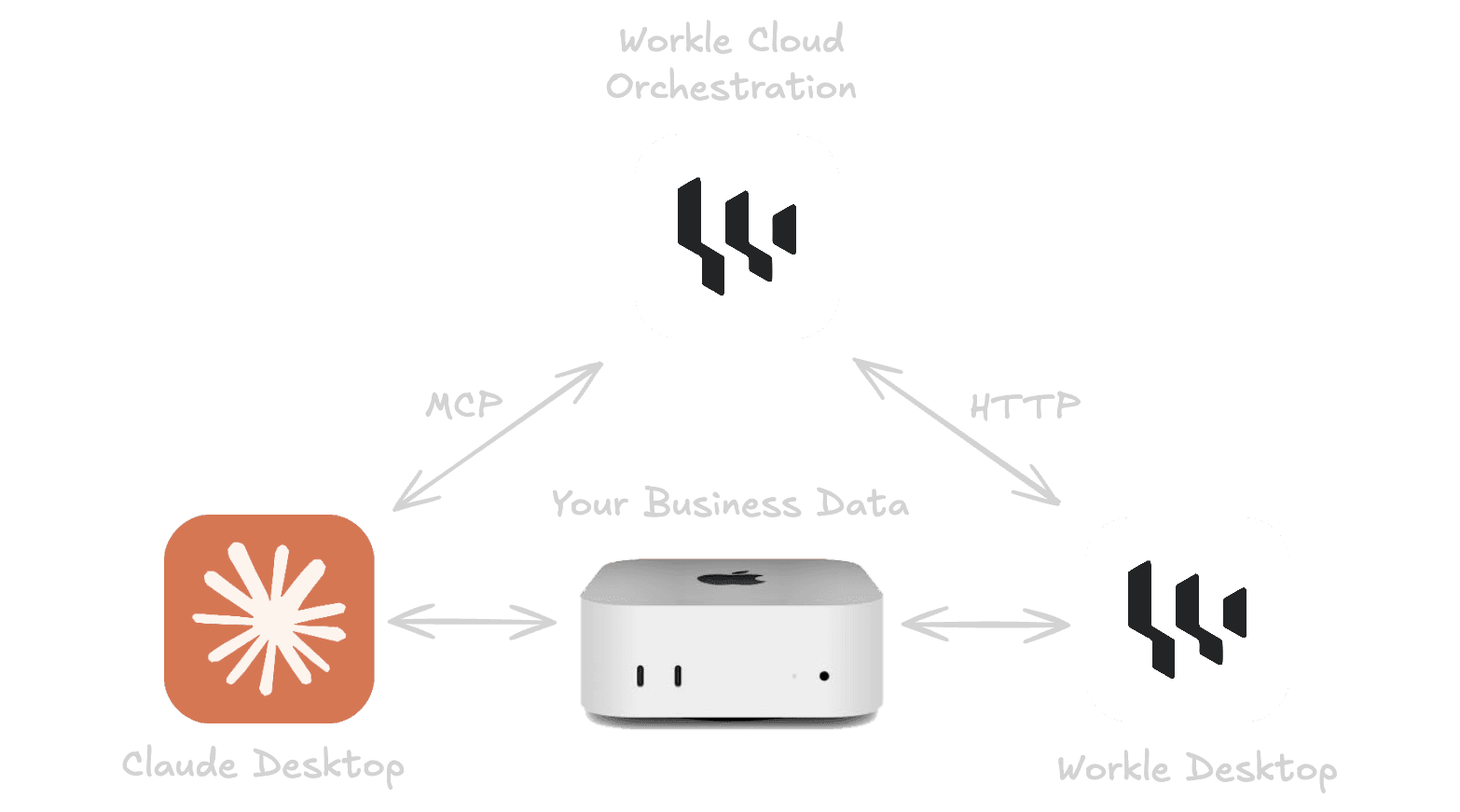
Download Workle for Mac or Windows and install it on the computer that will host your AI agents. This machine becomes your agent hub — it runs Claude, manages your company files, and keeps everything local.
Set up your project folder
The desktop app creates a structured company project folder on your machine. Add your documents, SOPs, email templates, and business data. Your agents read these files directly — no cloud indexing, no embeddings, no data leaving your machine.
Configure your agents alongside Claude Desktop
Workle works as an MCP server alongside Claude Desktop. You describe your agents in the Workle web UI — their names, roles, and channels — and Claude brings them to life. Agents create. Workle orchestrates.
Access from anywhere
Once your agents are running, your team can connect to them from the Workle web UI — on any device, anywhere in the world. Assign work items, review agent output, and monitor what's happening in real time. Your agents stay on your machine. Your team stays connected.
Agents create. Workle orchestrates.
Workle is not an AI platform. It is a work management system built for AI agents. You bring your own Claude subscription — Workle gives your agents the structure they need to do real, trackable, accountable work.